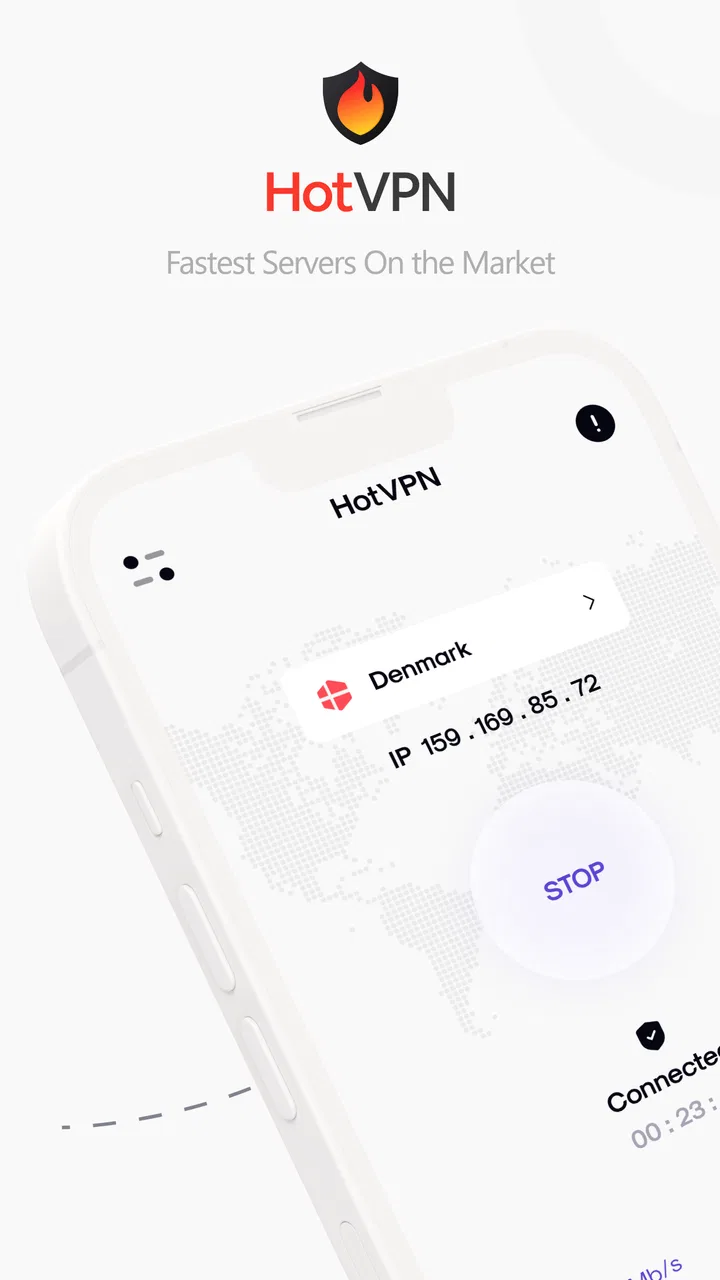
HotVPN - Fast, Safe VPN
- 4.5
- Rating
- 1.00M
- Installs
- Free
- Price

 Analysis by App-foxy
HotVPN - Fast, Safe VPN is the kind of tools app I would reach for when I want a VPN available without turning the process into a technical project. I tested it as a practical connection utility rather than treating it as a magic shield, and that distinction matters: a VPN can change how your traffic travels, but it cannot repair a weak mobile signal, make every website trustworthy, or guarantee that every service will work normally through a different network route.
What I like about HotVPN is its straightforward purpose. Developed by HotCodes, it is free to use, aimed at everyone, and available for Android devices running version 6.0 or later. The app has reached more than one million installs and holds a 4.5 average from roughly 3.9 thousand ratings, which gives it a useful level of public familiarity without making it feel like an obscure experiment.
The real question is not whether a VPN sounds useful. It is whether this particular app fits the way you use your phone. In my experience, HotVPN makes the most sense for people who regularly move between home Wi-Fi, public networks, and mobile data, and who want a simple privacy layer ready for those changes. It is less suitable for anyone expecting a VPN to solve all connectivity problems or replace a carefully managed privacy service.
You May Also Like

 Blood Strike: 2.5 Anniversary
Blood Strike’s Loadouts Turn Every Drop Into a Tactical Gamble
A close look at Blood Strike’s custom loadouts: how fast access to signature weapons reshapes its battle royale rhythm, rewards preparation, and narrows the gap between fights.

 Pandora - Music & Podcasts
Pandora’s Music Is Easy to Start, but Harder to Recover
Pandora’s strength is its low-effort path from a seed to a station. Its weak spot is how much confidence it asks you to place in connection, setup, and quiet recovery.

 8 Ball Pool
 Is Built on Rivalries, Rematches, and Routine
A close look at the rivalries, rematches, shared routines, and unanswered safety questions that turn a quick pool match into a persistent mobile community.

 Samsung Music
’s Quiet Strength Is Playing What You Already Own
Its reach comes less from spectacle than from dependable access to a personal library. That simplicity is both the app’s strongest retention engine and its ceiling.

 AccuWeather: Weather Radar
AccuWeather Review: A Quick, Clear Forecast for Everyday Decisions
For everyday plans, the best forecast is the one you can understand quickly. AccuWeather makes rain timing, radar, and local conditions easy to act on, with a few trade-offs.

 Hill Climb Racing
Why Hill Climb Racing Still Turns Crashes Into One More Run
A tiny car, a bumpy hill and one more upgrade: Hill Climb Racing keeps resurfacing because its simple chaos makes every near-miss feel personal.
More From Our News Desk



How HotVPN behaves when the network changes
When my phone moves between Wi-Fi and mobile data, I treat the change as a fresh connection rather than assuming the VPN session carried over cleanly. I check that ordinary internet access is back, then reconnect before reopening anything important; this simple pause helps separate a network handoff problem from an app or website problem.
Public Wi-Fi is where the idea becomes practical
The clearest everyday use case is a short stop in a café, hotel, library, airport, or other place where I need to connect to Wi-Fi that I do not manage. Even when the network has a password, I cannot assume that it is configured with the same care as my home connection. Starting a VPN before checking email, using a shopping account, or opening a work dashboard gives me an additional layer between the phone and the local network.
That does not mean I would treat HotVPN as permission to ignore basic safety habits. I still avoid suspicious links, use unique passwords, and pay attention to whether a website is encrypted. A VPN can reduce exposure on the local connection, but it does not make phishing pages safe or protect an account whose password has already been stolen. The useful habit is to activate the VPN before sensitive activity begins, not after something feels wrong.
HotVPN is also relevant when the connection itself changes repeatedly. A phone may begin on home Wi-Fi, switch to cellular data while walking outside, and then reconnect to another wireless network later. Those transitions are exactly when I prefer to check the VPN state instead of assuming that the previous connection remains protected. The app is most valuable as part of that routine rather than as a button I remember only during a crisis.
Speed is more than a promise on a store page
A VPN adds another step to the route between a phone and the internet. That can affect browsing, video, downloads, calls, and anything else that depends on a stable path. HotVPN presents itself as fast, but my practical standard is simpler: pages should remain responsive, ordinary media should not become frustrating, and the connection should not feel unpredictable when I am doing basic tasks.
Even a well-designed VPN cannot overcome a crowded hotspot or poor cellular reception. If a message takes a long time to send with the VPN disabled, enabling it will not turn that signal into a strong one. I found it helpful to separate two problems: first check whether the underlying network works normally, then judge whether the VPN adds noticeable delay. This avoids blaming the app for a problem that starts with the connection itself.
There is also a trade-off between speed and the route selected by any VPN. A nearby route will usually make more sense for ordinary browsing than one that sends traffic much farther away. If a particular website becomes slow, I would first try reconnecting rather than repeatedly refreshing the page. That small change can prevent a temporary route problem from looking like a permanent failure.
Mobile use is about timing, not just location
On a phone, I do not use a VPN in one fixed place. I use it while waiting for a train, checking a reservation from a shared network, reading messages during a break, or handling a quick account task away from home. These short sessions are where convenience matters most. If connecting takes too much attention, I am more likely to skip the protection entirely.
HotVPN fits that pattern because it is a focused tools app rather than a complicated productivity suite. I can think of it as a small part of my connection routine: check the network, open the app, connect, perform the sensitive task, and disconnect when I no longer need the VPN. That last step is not mandatory for every user, but it helps me avoid forgetting that a VPN may affect services that depend on location or a familiar connection.
One useful mobile workflow is to connect before opening an account app, not while the account app is already loading. Some services react poorly when the network changes mid-session. Starting with the VPN already active gives the app a more consistent path and reduces the chance of a login page hanging halfway through. This is a small operational detail, but it makes the experience feel more reliable.
When a VPN can create friction
Privacy protection is not free of side effects. A website may ask for an extra verification step when it notices a different network route. A streaming or shopping service may show different content, prices, or availability depending on the connection. A banking app may be more comfortable with a familiar home or cellular network than with a VPN route. These are not reasons to reject HotVPN, but they are reasons to understand what is happening.
When a service refuses to load, I would not immediately conclude that the app is broken. I would first disconnect, retry the same action, and compare the result. If the service works normally without the VPN, the issue is probably compatibility with the route rather than a general failure of the phone. For a quick payment or account recovery task, I would prioritize completing the task on a trusted connection over forcing the VPN to remain active.
This is also where a paid, more configurable VPN may be better for some people. Users who need a specific location, detailed connection controls, or a carefully documented privacy policy may want a service built around those requirements. HotVPN is more appealing when the goal is an accessible connection tool, not a highly customized network-management system.
Recovering from a dropped connection
Every VPN user eventually encounters a connection that stalls, drops, or behaves differently after the phone changes networks. My first recovery step is deliberately boring: I check whether the underlying Wi-Fi or mobile data still works. If ordinary internet access has disappeared, reconnecting the VPN cannot solve the original problem.
If the network is fine, I close the current VPN session and start a fresh connection. I then reopen the page or app rather than relying on a request that was already stuck. This matters for forms, logins, and uploads, where a half-finished session may remain in an awkward state after the route changes. A clean retry is often faster than repeatedly tapping a frozen screen.
Another practical habit is to avoid changing networks during an important transaction. If I am submitting a form, making a purchase, or joining a work call, I try to finish before leaving the Wi-Fi area. A VPN can help protect the connection, but it cannot make an abrupt switch between wireless and cellular networks invisible to every app. The safest recovery plan is sometimes to pause and restart the task once the phone has settled on one network.
HotVPN’s current version is 9.2.1, and I would keep the app updated through the normal app-store process. Updates are especially relevant for tools that sit between the phone and the internet because changes in Android behavior, network handling, or compatibility can affect the experience. I would also restart the phone if the connection remains unusual after a fresh VPN session; that is not glamorous advice, but it can clear a network state that an app restart does not.
Using it without wasting mobile data
A VPN does not remove the data used by the activity underneath it. If I watch video, download large files, or scroll through image-heavy feeds, the phone still consumes data. The VPN may add a small amount of connection overhead as well, so I would not use it as a strategy for reducing a limited data allowance.
For a data-conscious routine, I use the VPN for tasks where the privacy benefit matters most: signing into accounts on unfamiliar networks, checking personal information, or handling a sensitive message. I am less concerned about leaving it active while reading a public article on a trusted home connection. That is not a universal rule, but it is a sensible way to balance protection, battery use, speed, and convenience.
There is a second trade-off that is easy to overlook. If a VPN connection becomes unstable, repeatedly reconnecting while a media app retries a download can waste data without producing a useful result. When I notice a stalled transfer, I stop it first, verify the network, and then reconnect before starting again. This workflow is more efficient than allowing an app to keep retrying in the background.
People with strict data limits should also be selective about automatic behavior inside the phone. I would avoid beginning large updates or cloud backups while traveling, regardless of whether HotVPN is active. The VPN protects the route; it does not distinguish between important traffic and a background download that happens to start at the wrong moment.
What the free model means in daily use
HotVPN is free, which lowers the barrier to trying it. That is valuable for someone who has never used a VPN and wants to understand whether it fits their routine before paying for a subscription. It also makes sense for occasional travelers or students who need a simple option for public networks rather than a permanent, highly managed service.
At the same time, free access should make me more careful about expectations. I would not choose a free VPN solely because it promises speed, nor would I enter highly sensitive information without considering the provider’s privacy documentation and the permissions requested during installation. A VPN provider can see important connection-related information, so the app should be judged not only by whether its button connects, but also by how comfortable I am with the provider behind it.
That is one area where a paid alternative may be the better choice. A person who needs a specific region for work, predictable performance at busy times, extensive support, or a long-term privacy setup may reasonably prefer a service that offers those controls and clearer accountability. HotVPN’s strength is accessibility; its limitation is that accessibility alone does not answer every advanced VPN requirement.
Who will appreciate HotVPN most
I would recommend it to a reader who wants a simple Android VPN for occasional public Wi-Fi, short mobile sessions, and basic privacy-conscious browsing. The Everyone age rating also makes it approachable for a broad audience, although younger users should still understand that a VPN does not replace safe browsing or adult guidance about online accounts.
It is a good fit for someone who does not want to learn technical networking terms before getting started. The app belongs in the tools category because its value is functional: it supports a connection task and then gets out of the way. I would also consider it for a spare phone or a travel device where I want a familiar VPN option without committing immediately to a paid plan.
I would skip it if my main requirement were advanced configuration, a guaranteed route for a particular service, or a carefully managed business deployment. I would also skip using any VPN as a substitute for fixing an unreliable router, weak signal, outdated phone software, or unsafe account practices. Those problems need different solutions.
My final connectivity verdict
After using HotVPN as a practical mobile utility, I see its strongest point in the moments between networks: public Wi-Fi, quick account checks, travel stops, and other situations where I want an extra privacy layer without a complicated setup. The experience still depends on the quality of the connection underneath, and some websites or apps may behave better when the VPN is temporarily disconnected.
The app’s 4.5 average and more than one million installs suggest that many people find its basic approach useful, while the free price makes experimentation easy. I would treat those figures as a reason to try it, not as a substitute for deciding whether its behavior matches my own needs. My recommendation is to install it, test it first on ordinary browsing, and then use it deliberately for sensitive tasks on unfamiliar networks.
My bottom line: HotVPN is a sensible starting point for straightforward mobile VPN use, provided you understand the trade-off between convenience and control. I would keep it available for public connections, reconnect cleanly when a network changes, watch my mobile data during heavy activity, and turn to a more specialized paid service if I needed advanced locations, stronger customization, or a more formal privacy setup.
FAQs for HotVPN - Fast, Safe VPN
01What is HotVPN and how does it work?
HotVPN is a virtual private network (VPN) service designed to provide secure and anonymous internet browsing. By encrypting your internet connection, HotVPN ensures that your online activities remain private and secure, preventing unauthorized access and protecting your data from hackers. It's ideal for accessing restricted content and maintaining privacy online.
02Is HotVPN free to use, or does it require a subscription?
HotVPN offers both free and paid subscription options. The free version provides basic VPN services with limited server access, while the premium subscription unlocks additional features, including faster speeds, more server locations, and enhanced security protocols. Users can choose the plan that best suits their needs and budget.
03On which devices can I use HotVPN?
HotVPN is available for both Android and iOS devices, making it accessible to a wide range of smartphone and tablet users. Additionally, it may offer desktop applications for Windows and macOS, ensuring that you can protect your internet connection across all your devices for a seamless and secure browsing experience.
04How does HotVPN ensure user privacy and security?
HotVPN employs advanced encryption protocols to secure your internet connection, ensuring that your data remains private and inaccessible to third parties. It also features a no-logs policy, meaning that your browsing history and personal information are not stored, further enhancing your online privacy and security.
05What are the main benefits of using HotVPN?
HotVPN provides several benefits, including secure and anonymous browsing, access to geo-restricted content, and protection from cyber threats. It also offers a user-friendly interface, fast connection speeds, and multiple server locations worldwide, making it a convenient and effective choice for enhancing your online security and privacy.
Pros
- High-speed connection for streaming.
- User-friendly interface with easy setup.
- Multiple server locations worldwide.
- No logging of user data ensures privacy.
- Unlimited bandwidth for all users.
Cons
- Limited free version features.
- Occasional connection drops.
- Ads in the free version can be intrusive.
- No dedicated IP option available.
- Customer support lacks live chat.

HotVPN - Fast, Safe VPN
Gallery